

Merge, send, and track personalized emails & PDFs for everyday business
Easy Mail Merge is a Google Workspace mail merge add-on for Google Sheets, Google Docs, and Gmail. Turn spreadsheet data and templates into personalized emails and documents — without copy-pasting or complex setup. Create invoices, quotes, certificates, reports, confirmations, and other tailored files.
- Document & PDF Generation: Create personalized PDFs, DOCX, or Google Docs files
- Personalized Attachments: Send unique file attachments or Google Drive links tailored to each recipient
- Mail Merge & Tracking: Send emails from Sheets & Docs and track opens, replies, and bounces
Privacy-First
Emails are sent directly through your own Gmail account. We never store or read your message content.
How It Works
Automate emails and document generation in 3 easy steps
- 1
Prepare Template
Design your layout wherever it fits best:
- Google Docs
- Google Sheets
- Gmail Drafts
Insert dynamic {{placeholders}} where you want personalized data to appear.
- 2
Connect Data
Open your Google Sheet or select it in the Easy Mail Merge sidebar. The add-on automatically scans your columns and maps them to your placeholders.
- 3
Merge & Deliver
Click Merge to bulk-generate personalized documents or Send to deliver tailored emails directly via your Gmail account.
Powerful Features
Everything you need for mail merge and document automation
Easy Setup, Error-Free Templates
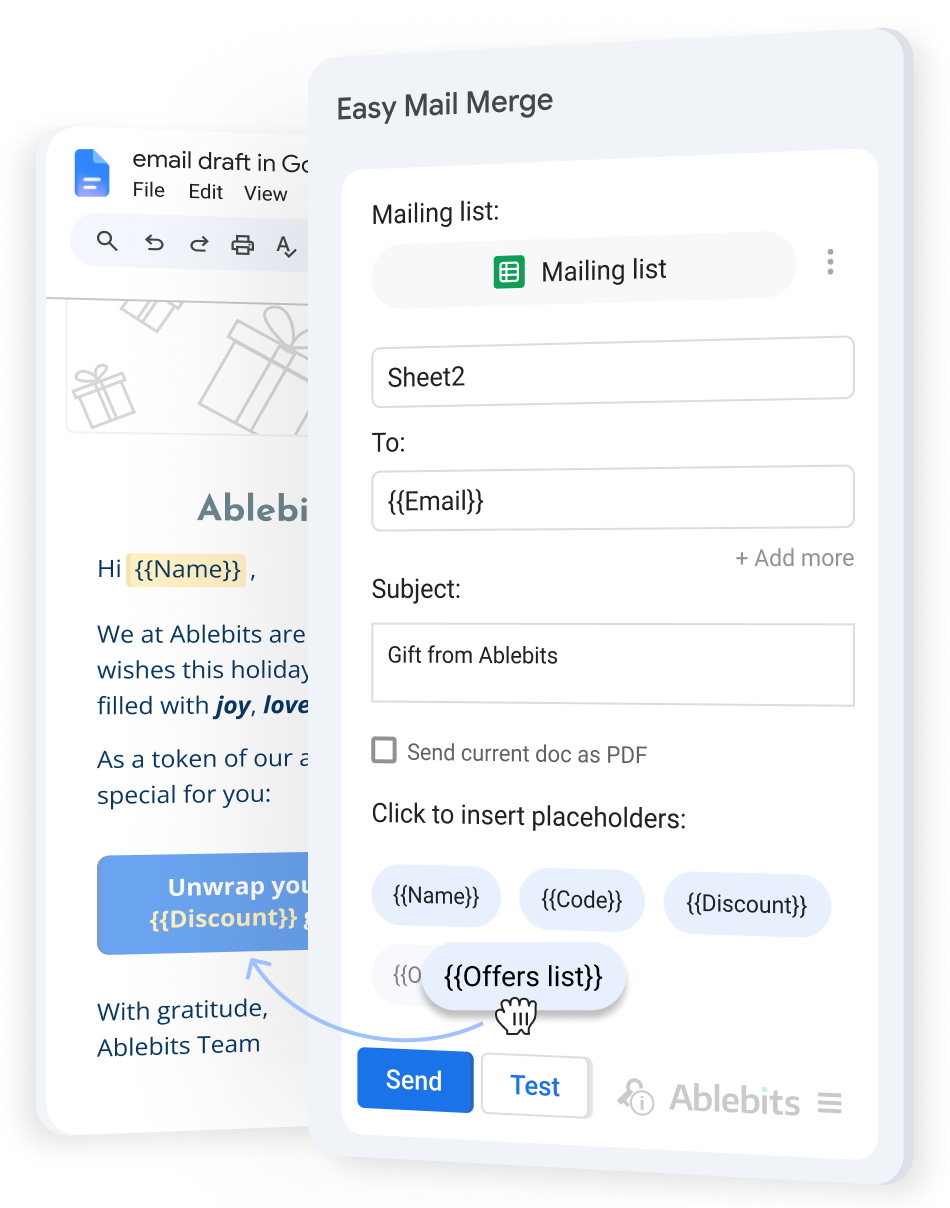
Work directly in Google Sheets or Docs. Columns are detected automatically, so creating a merge template takes just a few clicks.
- Docs or Sheets as Templates: Use whichever format best suits your document style.
- Automatic Field Detection: Spreadsheet columns instantly become available as placeholders
- Click-to-Insert Placeholders: Add placeholders with one click to avoid mismatched field names.
- Ready in Minutes: Choose your data, add placeholders, and start the merge.
Document Generation
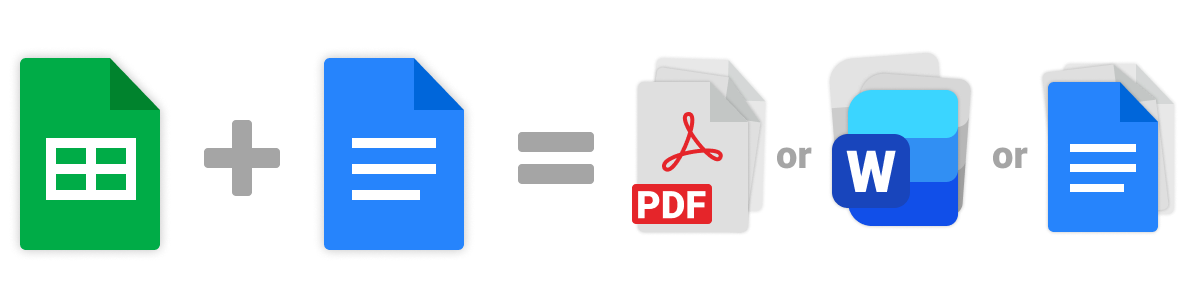
Turn raw spreadsheet data into ready-to-print documents at scale without manual copy-pasting:
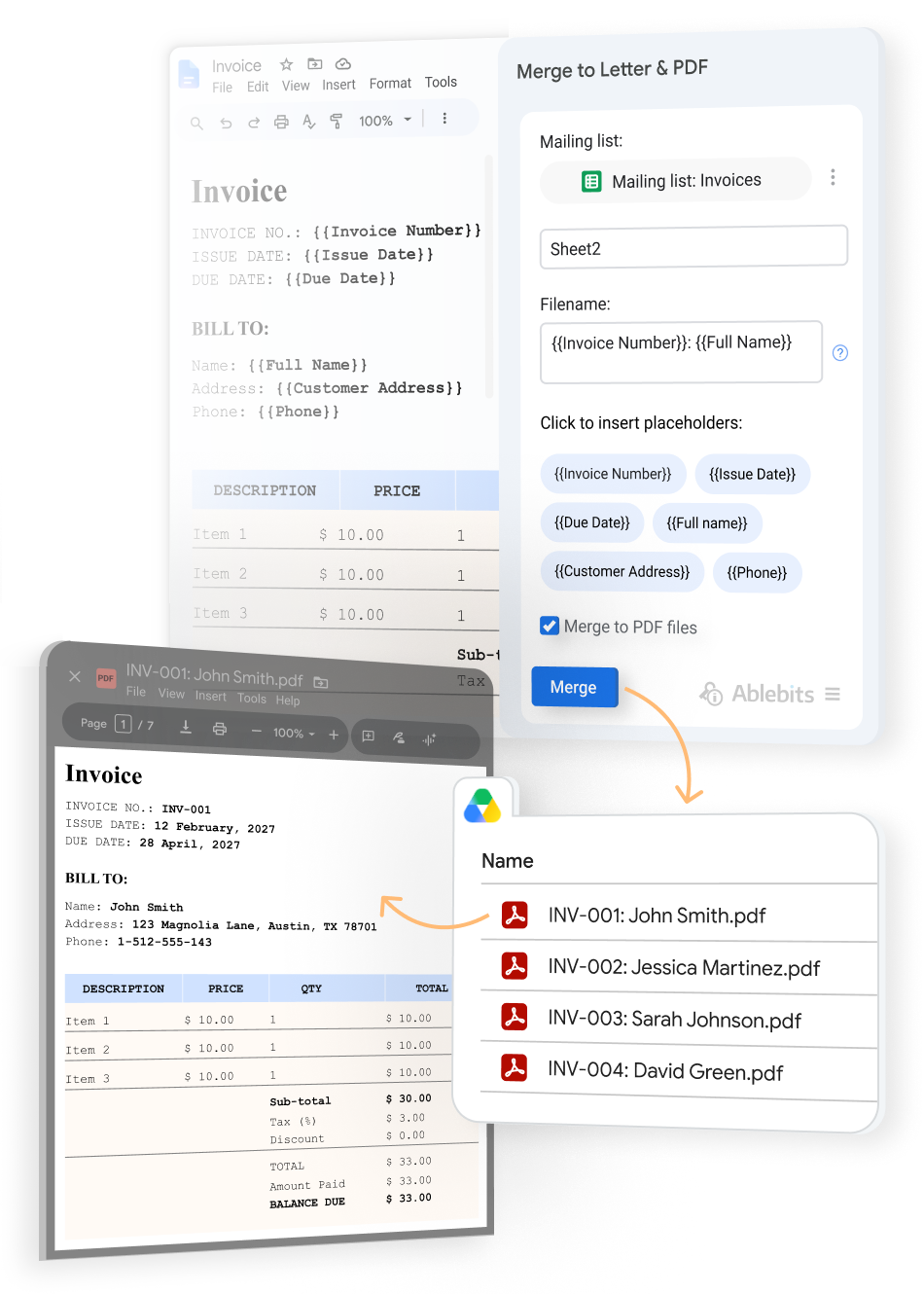
- Multi-Format Generation: Generate personalized documents as PDFs, Microsoft Word (.docx) files, or Google Docs.
- Bulk Creation: Create hundreds of custom invoices, contracts, HR letters, or certificates with a single click.
- Save to Drive: Automatically save tailored documents directly to your Google Drive.
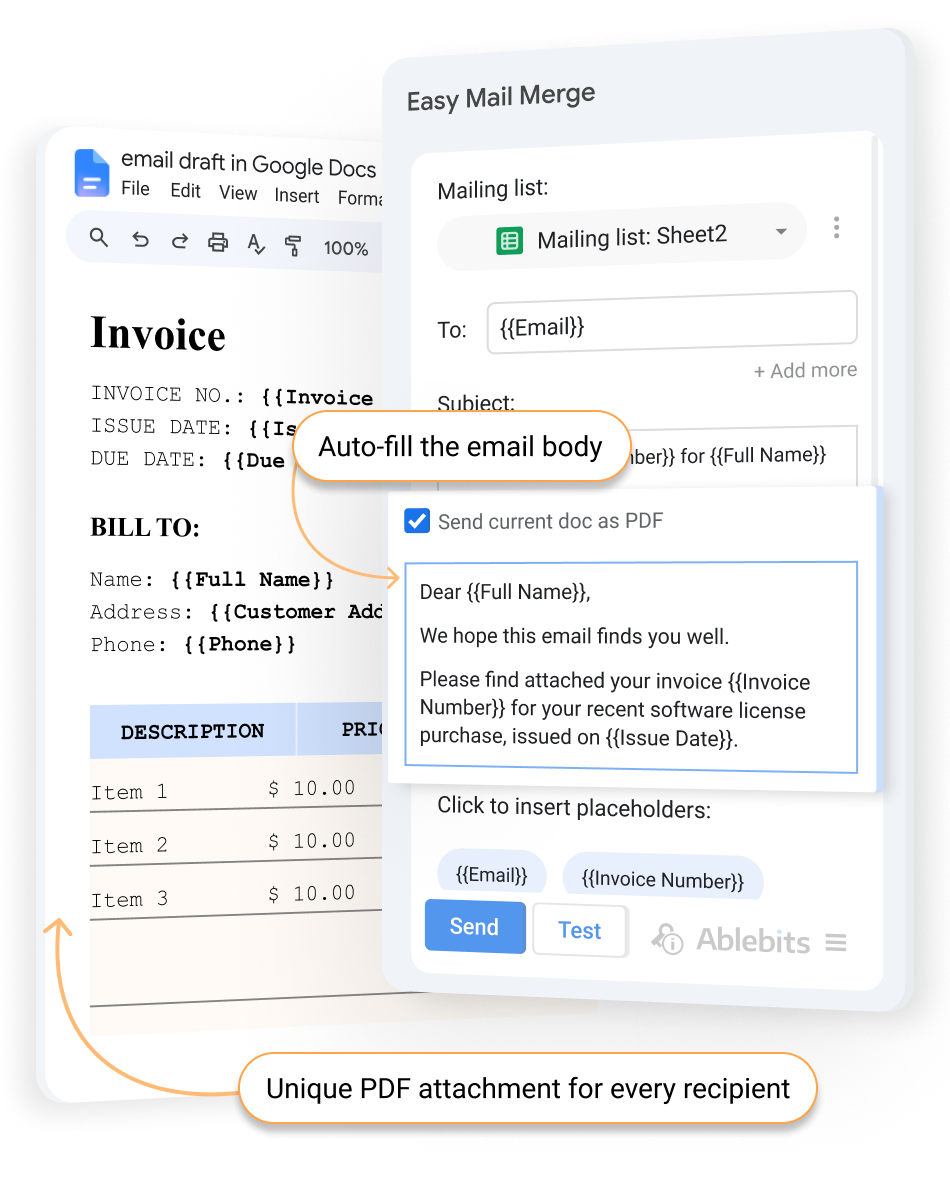
Generate & Send Personalized PDFs
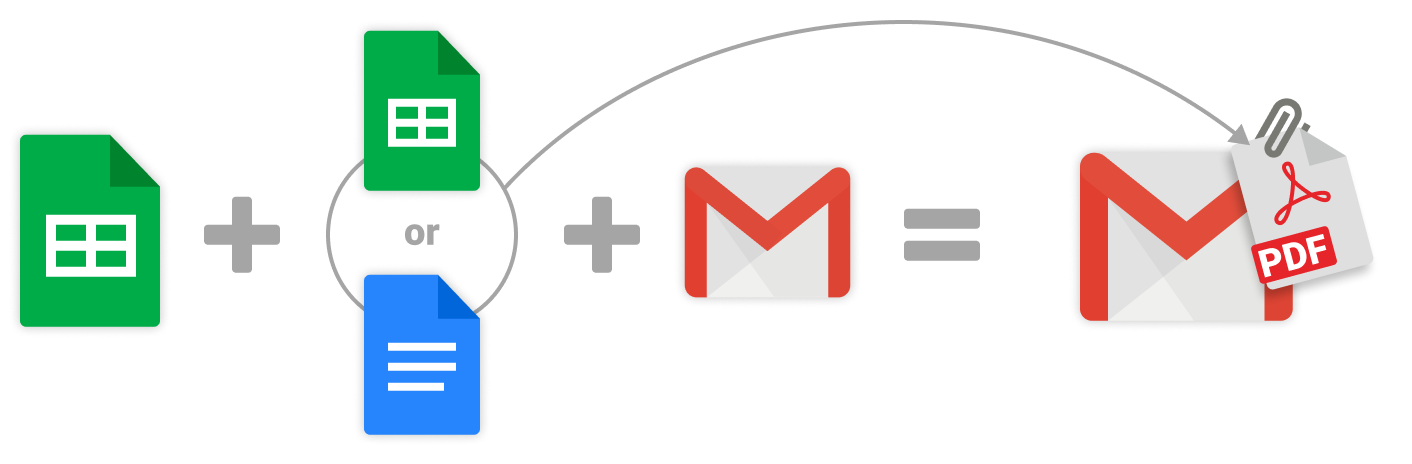
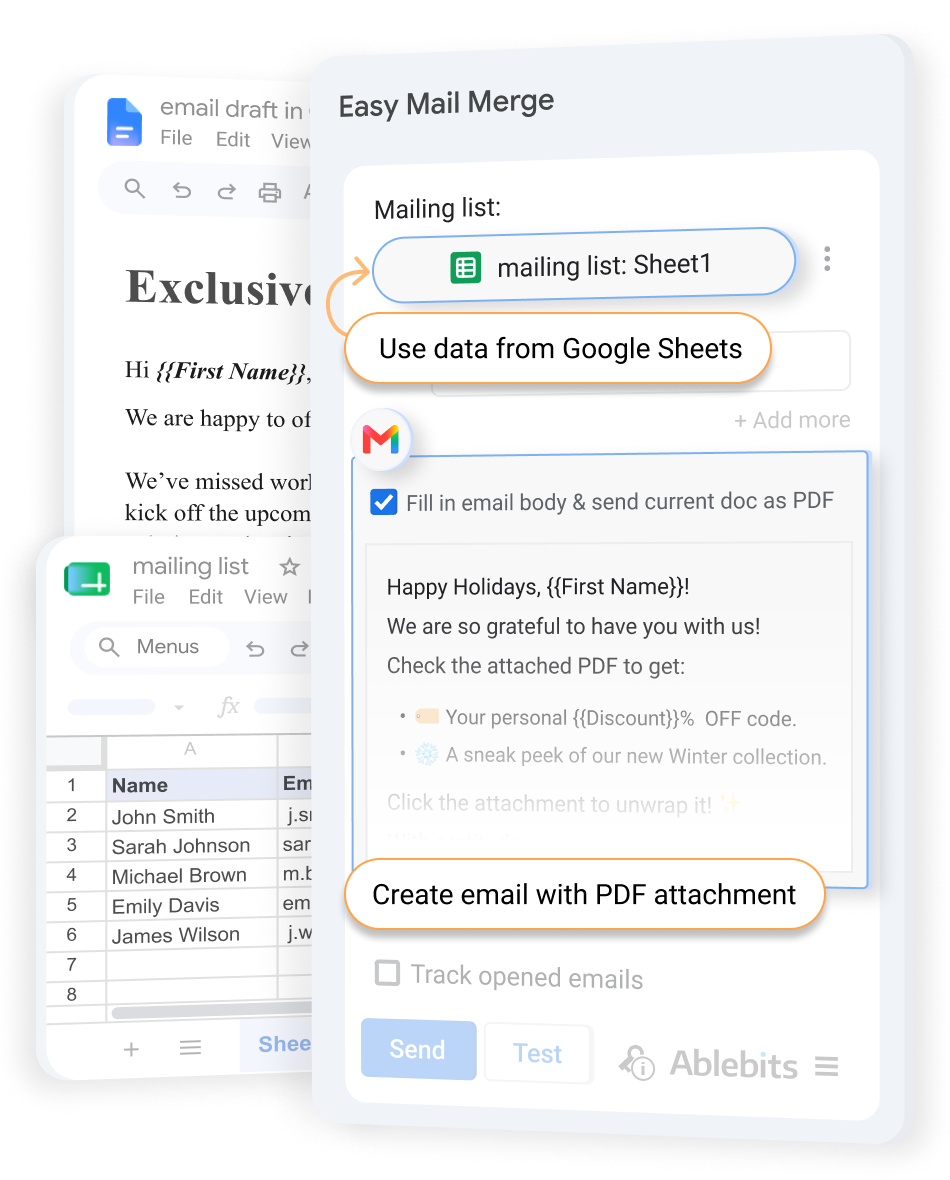
Turn your active template into a personalized PDF attachment on the fly:
- Auto-PDF Conversion: Automatically convert your active Google Doc or Sheet template into a unique PDF attachment for each recipient.
- Direct Delivery: Send generated PDFs alongside your personalized email message via Gmail in a single run.
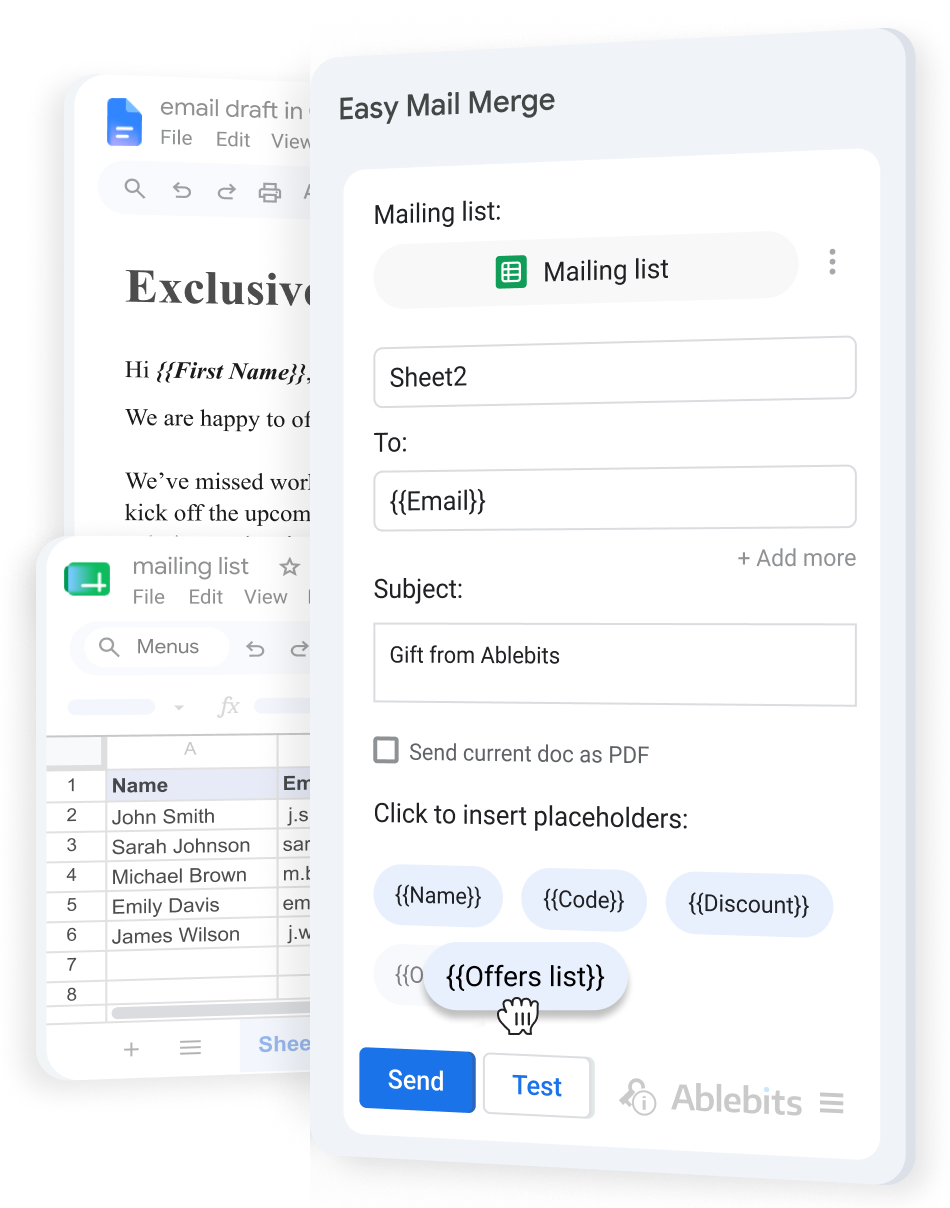
Mail Merge from Gmail
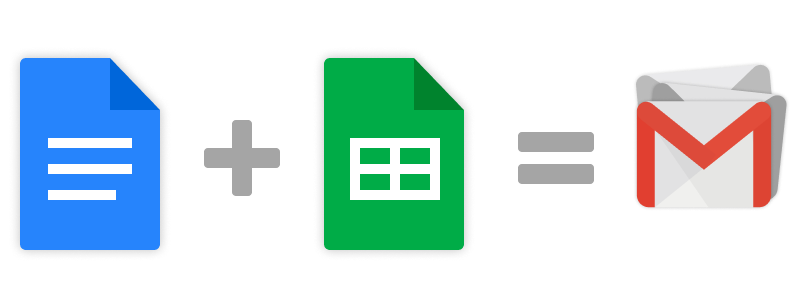
Send personalized emails through your Gmail account using data from Google Sheets.
- Personalized Emails: Merge names, subjects, text, and other fields automatically.
- Flexible Templates: Use a Gmail draft, Google Doc, or Sheet.
- Test Before Sending: Preview the result before starting the merge.
- Sent from Your Gmail: Emails go directly through your Google account. We do not see what you send.
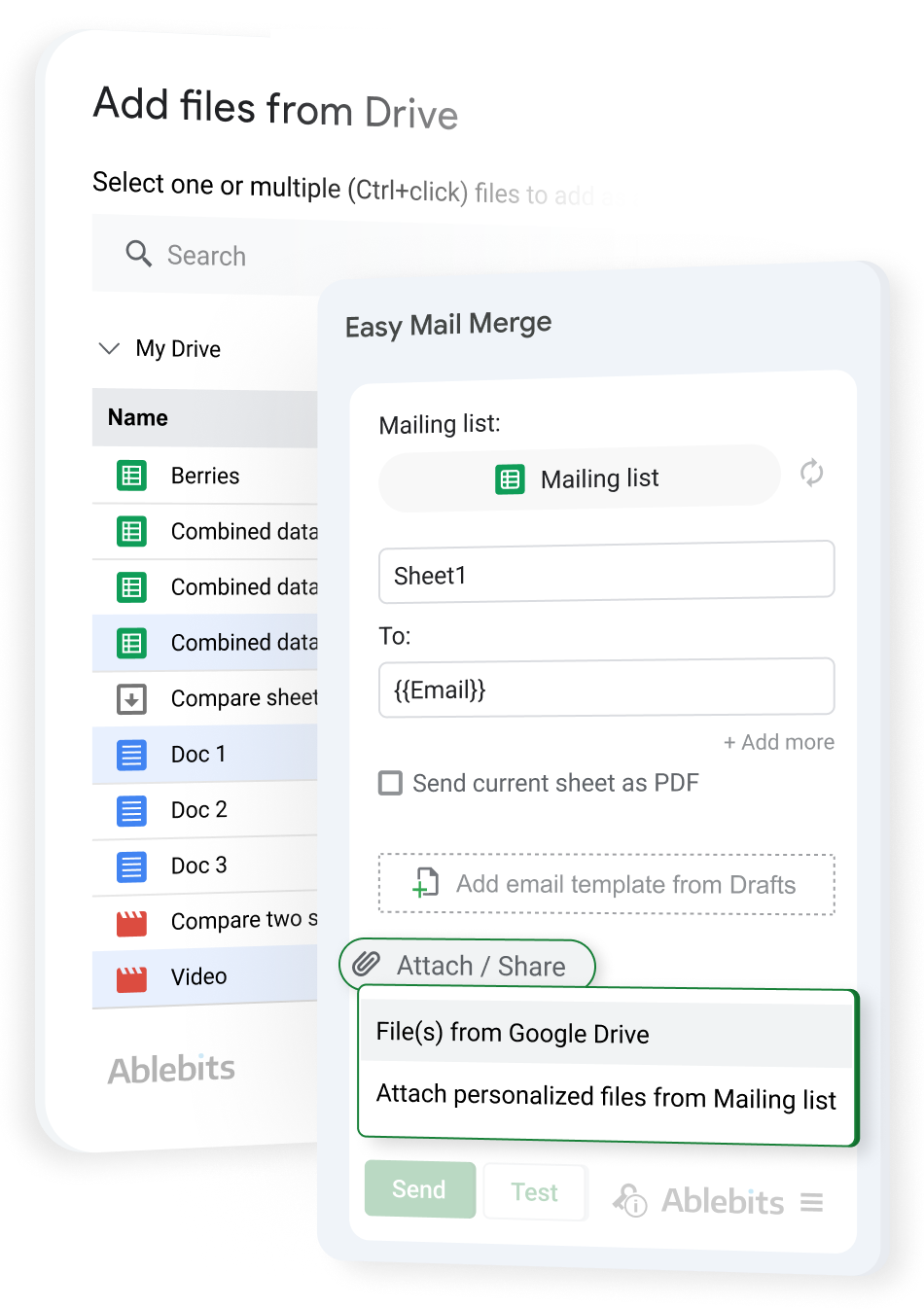
Personalized Attachments
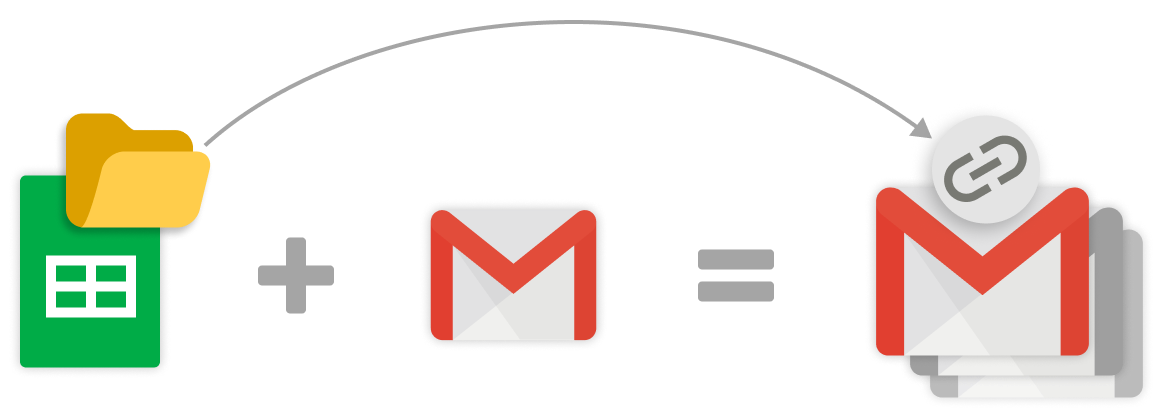
Attach unique files of any format or share personalized links without manual downloading:
- Personalized Links: Send personalized Google Drive links to your entire contact list at once.
- Unique Files: Automatically attach unique files for each recipient: PDFs, images, archives, videos, or documents.
- Automatic Conversion: Easily convert Google Docs, Sheets, and Slides from Drive into PDF or MS Office formats upon sending.
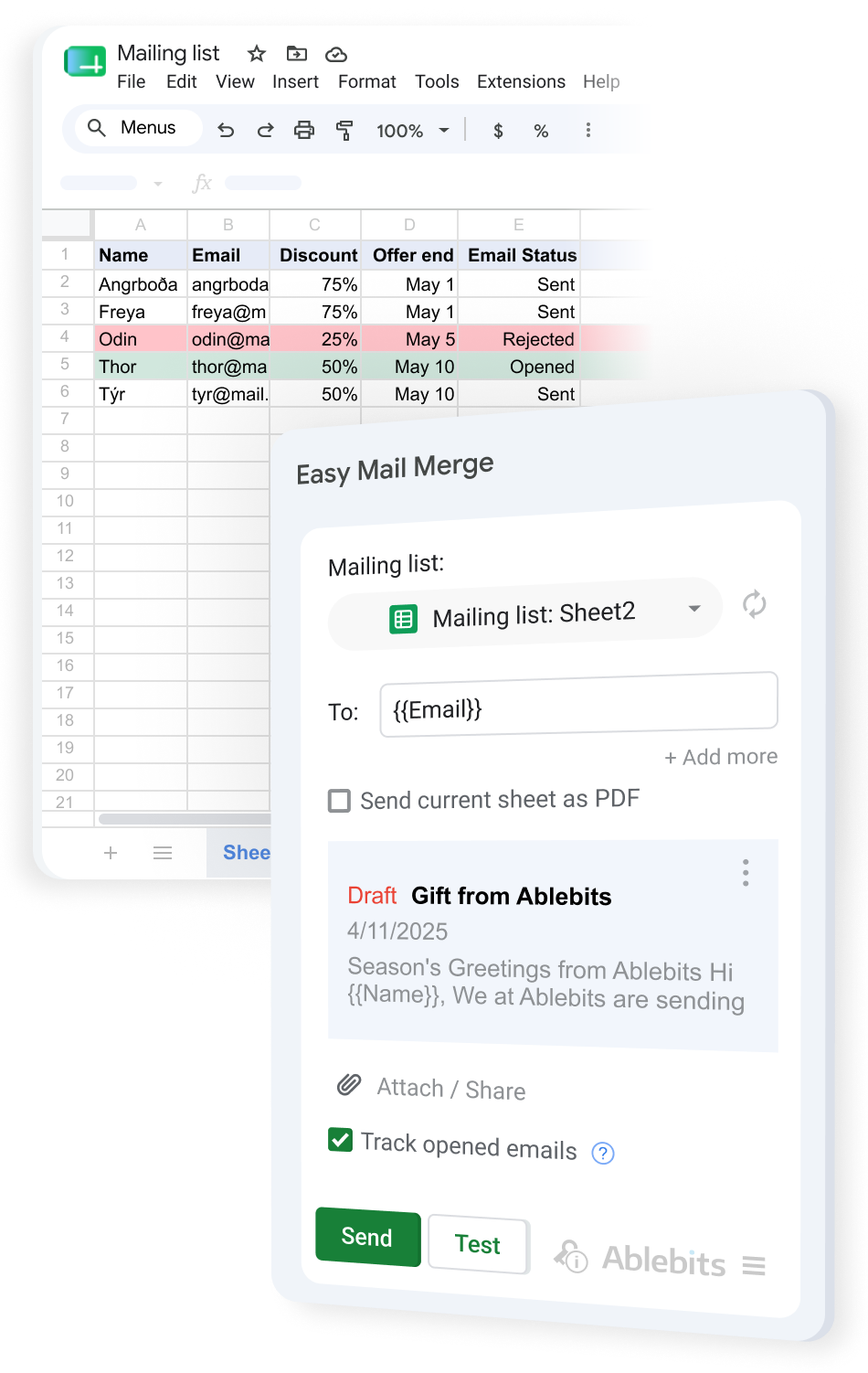
Email Tracking
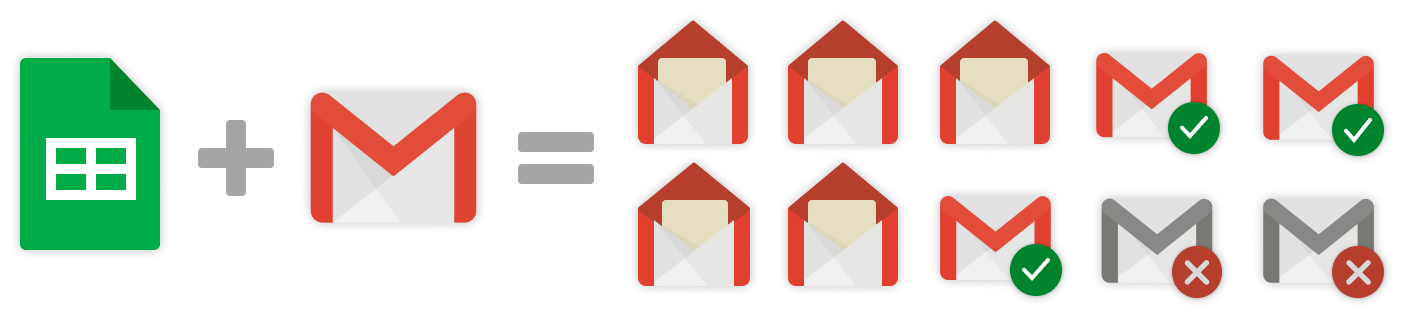
Track every email right from your Google Sheet:
- Status Tracking: Monitor email statuses (Sent, Bounced, Opened, Replied) for each recipient in a dedicated sheet column.
- Smart Skipping: Exclude specific recipients from a merge run by typing an X in their status column.
Who Is Easy Mail Merge For?
Designed for professionals who want to eliminate repetitive email & document tasks
Who You Are
What You Get
Business Owners
Generate personalized PDF invoices, proposals, contracts and send them to clients in minutes.
HR Specialists
Create and distribute personalized job offer letters, employment contracts, policy updates, and onboarding documents with unique attachments.
Teachers
Make and send student report cards and personalized certificates to every student.
Lawyers
Draft and distribute NDAs, contracts, and legal notices. Emails go out through your own Gmail account, and we never store or read your files, your confidential data never leaves your Google account.
Real Estate & Service Providers
Send personalized emails with property listings, rental agreements, confirmations, and digital brochures per recipient.
Marketers & Sales Managers
Email proposals with client-specific pricing and branded PDFs. Track sends, opens, bounces, and replies.
Manual Work vs. Other Tools vs. Easy Mail Merge
See why Easy Mail Merge is the easiest way to automate your documents and emails
| Task | Manual | Other Merge Tools | Easy Mail Merge |
|---|---|---|---|
| Generate personalized PDFs from Google Sheets | Copy, paste, save as PDF for every client | Often require external PDF tool | Generate & send personalized PDFs |
| Create print-ready invoices, certificates or contracts | Create individual files for each person | Document-focused tools generate files; email-first tools require third-party document generators | Bulk document generation: PDF, DOCX, Google Docs |
| Send emails with unique attachments | Attach each file one by one for every email | Individual attachments via Drive links | Individual attachments: Drive links, custom files, auto-generated PDFs |
| Write and send emails from Google Docs | Copy-paste from Docs to Gmail and edit each one | Usually limited to Gmail drafts only | Native Google Docs integration |
| Track who received your email | Zero tracking | Advanced email tracking dashboards | Email tracking right in your Google Sheet |
| Analyze campaign performance | Zero analytics | Offers automated follow-ups, auto-retry, and web dashboards | No advanced analytics or automated follow-ups |
| Scale daily sending limits | Standard Google limits | Some tools can bypass Google limits using custom external SMTP servers | Strictly tied to your native Google daily limits |
| Protect sensitive data | Safe | Your data can be stored on third-party servers | 100% private: your emails and files are never stored or read by us |
| Start without paying | Free | Limited free plans | 30-day free trial with full access to all features |
- Fully supported
- Partly or with limits
- Not available
Easy Mail Merge guides
Step-by-step walkthroughs for the tasks people ask about most.
Choose your plan
Best value
12-month
$33.60
- 12-month free updates
- 1 subscription for 1 Google account
Not ready to buy? Install from the Marketplace and start your 30-day free trial.
Start your first mail merge today
30-day free trial with full access to all features. No payment details, no commitment.
Frequently Asked Questions
Everything you need to know about Easy Mail Merge
What is Easy Mail Merge?
Easy Mail Merge is a Google Workspace add-on that lets you merge, send, and track personalized emails and documents. It connects your spreadsheet data with Google Docs, Sheets, or Gmail templates to automatically generate custom files (like invoices, certificates, or student reports) and send tailored emails via your Gmail account.
Does it work with Google Docs or Google Sheets?
Both. Easy Mail Merge works natively with both Google Docs and Google Sheets. You can launch the add-on depending on your requirements:
- From Google Docs: Best when you need to turn a text document into a beautifully formatted email layout or auto-generate personalized documents.
- From Google Sheets: Best when your template layout relies on spreadsheet formulas (such as invoices or financial receipts), or when you want to manage your mailing list and track delivery statuses directly from your spreadsheet.
What document formats can I generate from Google Sheets data?
With Easy Mail Merge, you can automatically generate documents in three file formats:
- PDF Documents (best for print-ready invoices, certificates, and reports).
- Native Google Docs (perfect for collaborative editing).
- Microsoft Word (.docx) (ideal for editable contracts and legal forms)
How to automatically generate documents from Google Docs?
To generate custom documents in bulk, follow these steps:
- Create Template: Design your document layout directly in Google Docs.
- Launch the Add-on: Go to Extensions › Easy Mail Merge › Merge to Letter & PDF.
- Connect Data: Select the Google Sheet that holds your client data.
- Customize: Insert {{placeholders}} into your template for unique details.
- Choose Format: Choose your preferred output format (PDF, Google Docs, or DOCX).
- Generate: Click Merge to create and save personalized documents directly to your Google Drive.
Learn more about document generation with Easy Mail Merge here.
How do I mail merge from Google Docs?
To mail merge from Google Docs, follow these steps:
- Create Template: Design your email template directly in Google Docs.
- Run the Add-on: Go to Extensions › Easy Mail Merge › Email Merge.
- Link Your Mailing List: Select the Google Sheet that contains your recipient data.
- Insert Placeholders: Customize your template with {{placeholders}}.
- Configure Attachments: Attach unique or identical files for your recipients.
- Test & Send: Click Test to preview and Send to deliver personalized messages via your Gmail account.
See a more detailed description on Google Docs mail merge here.
Can I mail merge from Google Sheets?
Yes. With Easy Mail Merge, you can generate personalized messages from Google Sheets by using your existing Gmail drafts as responsive email templates.
To mail merge from Google Sheets, follow these five steps:
- Create Draft: Write your message in Gmail, and insert dynamic {{placeholders}}.
- Launch the Add-on: Open your Google Sheets mailing list and click Extensions › Easy Mail Merge › Start.
- Select Template: Add the email template from Drafts in the extension sidebar.
- Set up Attachments: Attach a single file for all recipients, or map unique files or Drive links.
- Test & Send: Click Test to preview, then click Send to distribute the personalized emails to your entire contact list.
See a more detailed description on Google Sheets mail merge here.
Can I send different, unique attachments to each recipient?
Yes. Easy Mail Merge allows you to send unique individual attachments tailored to each recipient:
- Attach personalized files: Map a column in your spreadsheet that contains Drive links to unique files (images, archives, videos, or documents), and Easy Mail Merge will attach those specific files to each email.
- Share Drive links: Insert personalized Google Drive access links directly into your email body so recipients can view or download large files without heavy attachments.
- Convert active template to PDF: Want to send your current Google Doc or Sheet as an attachment? Check the Attach current doc as PDF attachment box in the sidebar to send it as a tailored PDF to everyone.
Can I preview an email before running a mail merge?
Yes. You can use the Test button to send a fully formatted sample email to your own inbox. This allows you to check layout, formatting, and placeholders before running your mail merge.
How can I track if an email has been successfully sent from Gmail?
You can monitor your delivery directly inside your spreadsheet. Easy Mail Merge automatically creates an Email Status column that logs updates:
- Sent: Message was successfully delivered.
- Bounced: The delivery failed.
- Opened: The recipient opened your email.
- Replied: The recipient replied to your email.
Can I exclude specific recipients from a mail merge run?
Yes. To skip specific rows without deleting them from your mailing list, type an X or skip into the Email Status column next to those recipients. The add-on will automatically bypass those rows during the next run.
What are the daily email sending limits?
During the free trial, you can send up to your daily Google account limits: 500 emails per day for free Google accounts and 1,500 emails per day for Google Workspace business accounts. After the trial, the free tier is limited to 50 emails per day unless you upgrade to a paid plan.
Is my data safe with Easy Mail Merge?
Yes. Emails are sent through your own Gmail account, and your spreadsheet data, templates and recipient lists are never stored or read by us. Open tracking is optional. When you turn it on, a small tracking image is added to each email to record opens.
Is Easy Mail Merge free to use?
Easy Mail Merge offers a 30-day free trial with unlimited mail merging capabilities. You can test all premium features before choosing a plan.